
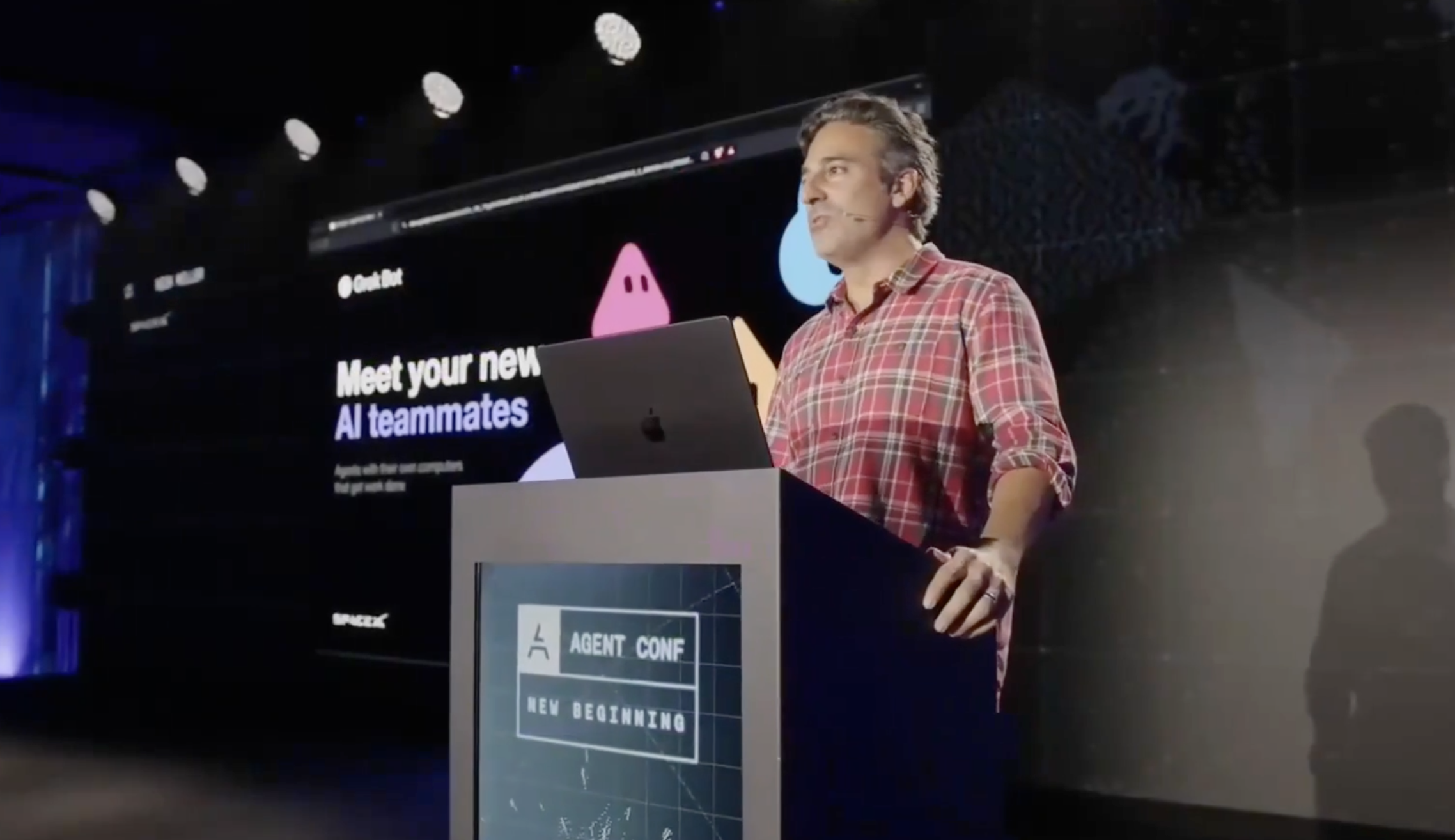
Notes from a recent SpaceX talk about using bots in your team. This talk again tallies with the notion of using AI / bots to free up work so that humans can work on more strategic and creative work.
From reactive work to meaningful work
Meaningful work is often bottlenecked by routine, reactive tasks such as messages and email. The volume of work can overwhelm the people available to do it, leaving less time for strategic, enjoyable work that moves things forward.
Grokbot was presented as a knowledge worker that can take on this reactive workload. AIt was built in about four weeks, began as an experiment, and was internally referred to as “crackbot” because it’s so addictive.
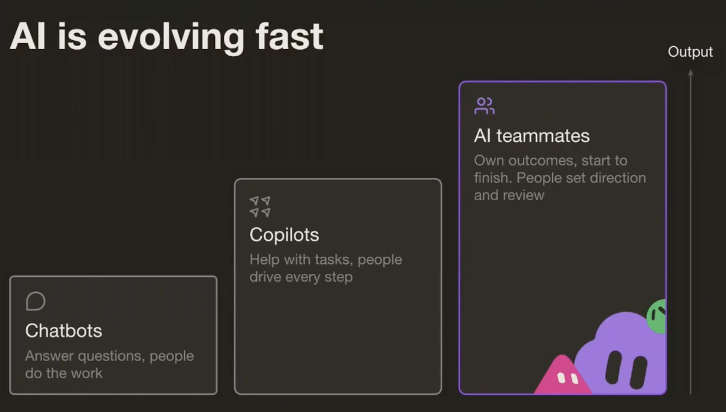
The interface is still evolving. The central idea is a team of knowledge workers that takes an initial directive, turns it into a routine, and completes actual units of work for the organisation.
This includes long, complex tasks requiring many turns of work, carried through end to end. That end-to-end scope is the main difference from copilots and chatbots.
Creating a bot
Three key aspects of creating a new bot are:
- Context
- Connectors
- Outcomes
Starting with a name and a purpose helps guide the bot. Bots are persistent: they learn from their users and become more capable over time.
The key pain point
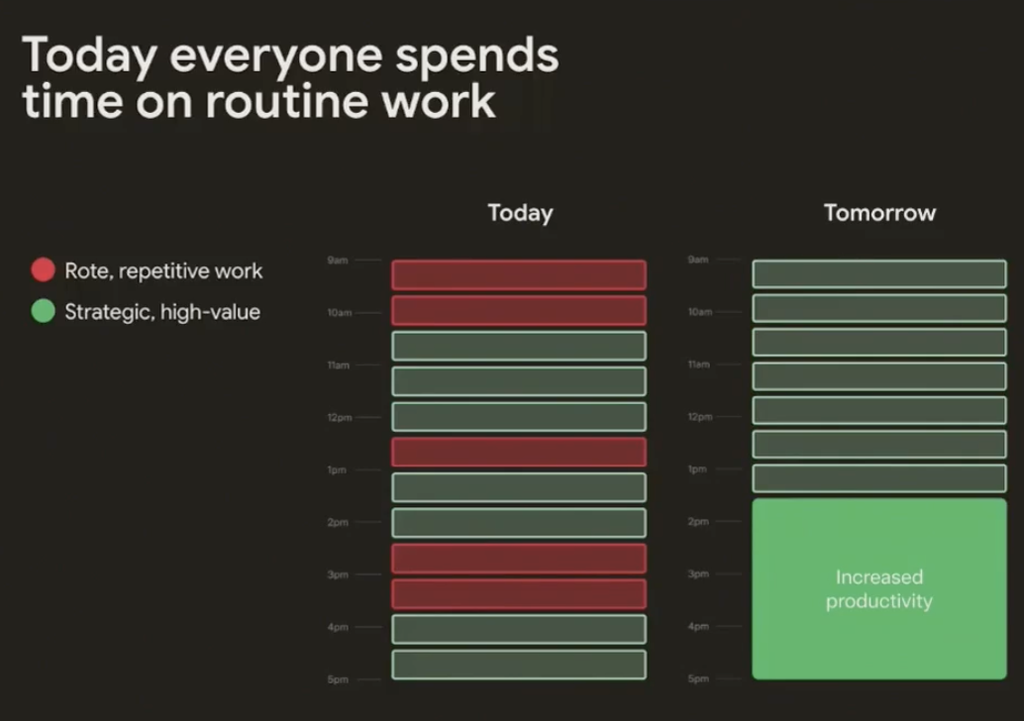
I think there is a reference here whereby managers are becoming ‘makers’. Paul Graham’s article about Manager’s Schedule vs Maker’s Schedule is informative.
Many leaders struggle to reach strategic, high-value work because they are constantly distracted by routine demands.
Bots can interact with browsers, so MCP integrations are not required in many cases. The speaker described bot usage as showing a level of stickiness comparable to social media apps, and individuals as having the impact of ten engineers.
Getting started: give each bot a job
GTM
Pipeline built overnight, follow-ups drafted after every call, and a CRM that stays current. Outreach ships in your voice, ready for review.
Example roles: Account Health and Sales Outbound.
Engineering
Bugs reproduced overnight, a repro pack dropped in the ticket, and hotspots that get pulled before standup. The writeup ships with screenshots, ready for review.
Example roles: Product Performance and Bug Reproduction.
Marketing
Campaigns watched overnight, a budget drafted for the month, and creatives that get rotated when they go stale. Spend shifts sit in Slack, ready for review.
Example roles: Talent Scout and Paid Media.
Admins
Calendars, travel, expenses, and inboxes handled end to end. The admin directs the work while Bots run the busywork.
Example roles: Chief of Staff and Expense Manager.
Leadership and operations use cases
Morning briefing
Overnight, a Bot pulls revenue, operations, and pipeline numbers from your systems. The summary is ready when you walk in.
Meeting prep
Before every external meeting, a short brief covers who you are meeting, the history, and what you need from the conversation.
Competitive intel
Bots watch competitor moves, news, podcasts, and X around the clock, then deliver a weekly digest of what actually matters.
Inbox triage
A Bot surfaces the messages that need you, drafts replies in your voice, and parks the rest for later.
Board and review packs
Metrics and narratives are assembled into deck-ready summaries before each board or business review cycle starts.
Time audit
A weekly report shows where your time went across calendar, email, and Slack, with suggestions on what to delegate next.
the proliferation of information inside organisations become an “info-glut” that only bots can now search through. The bot interface was also described as the main interface for engineers developing code.
Engineering use cases
Bug Reproduction
Catches the thread, clicks the same path in staging, captures the failure, and drops a repro pack engineers can trust.
Cloud Agent Orchestrator
Kicks off cloud agent runs, monitors them, chases what’s stuck, and summarizes the report without babysitting each one.
Playtest Operator
Drives the UI on a computer when APIs are not enough, captures failures, and returns a tight findings pack.
Product Performance
Logs into observability tools, walks the flamegraphs, and comes back with hotspots plus a short writeup with screenshots.
Prototype Builder
Go from ask to something clickable fast. Writes on its computer and comes back with a screenshot plus a live URL.
Bots can have different personas, including research, QA, and development. Bots are the primary tool that engineers will use. Bots within a team can talk to each other.
Go-to-market use cases
Sales Outbound
Researches accounts overnight, scores contacts, drafts email and LinkedIn in your voice, and leaves a review list to approve.
Deal Desk Coordinator
Draft contextual internal deal notes from past emails, Salesforce, and calls, then submit in Salesforce once you approve.
Account Research Specialist
Researches accounts overnight, scores contacts, drafts email and LinkedIn in your voice, and leaves a review list to approve.
Deck Updater
Updates your deck from discovery notes mid-call or right after, with next steps baked in.
Prospecting Plan Builder
Seeds contacts, enriches email and mobile, and writes a ready-to-work tracker so outbound starts from a list.
Meeting Prep Buddy
Builds prep packs from calendar, notes, CRM, Gong, and Slack: who is in the room, last touch, and a suggested agenda.
Link for further info: Grok Bot for GTM.
Working with bots
Key principles to get going
- Give access to your Bots
The more access and freedom your bots have, the more they can do for you!
- Invest in teaching your Bots
Your bots get better over time as they learn your preferences. Giving them feedback helps them!
- Delegate between Bots
Grok Bot is powerful, take the time to set up specific roles and assign responsibilities for each Bot.
Bot templates can also be shared in a marketplace.